
The data below shows the population of a small town (in 1000s) over a 9 year period. Using a graphing calculator, determine the linear & quadratic regression curves. Compare their values. Which model is a better fit for the data?
Table of contents
- 1. Intro to Stats and Collecting Data1h 14m
- 2. Describing Data with Tables and Graphs1h 55m
- 3. Describing Data Numerically2h 5m
- 4. Probability2h 16m
- 5. Binomial Distribution & Discrete Random Variables3h 6m
- 6. Normal Distribution and Continuous Random Variables2h 11m
- 7. Sampling Distributions & Confidence Intervals: Mean3h 23m
- Sampling Distribution of the Sample Mean and Central Limit Theorem19m
- Distribution of Sample Mean - Excel23m
- Introduction to Confidence Intervals15m
- Confidence Intervals for Population Mean1h 18m
- Determining the Minimum Sample Size Required12m
- Finding Probabilities and T Critical Values - Excel28m
- Confidence Intervals for Population Means - Excel25m
- 8. Sampling Distributions & Confidence Intervals: Proportion2h 10m
- 9. Hypothesis Testing for One Sample5h 8m
- Steps in Hypothesis Testing1h 6m
- Performing Hypothesis Tests: Means1h 4m
- Hypothesis Testing: Means - Excel42m
- Performing Hypothesis Tests: Proportions37m
- Hypothesis Testing: Proportions - Excel27m
- Performing Hypothesis Tests: Variance12m
- Critical Values and Rejection Regions28m
- Link Between Confidence Intervals and Hypothesis Testing12m
- Type I & Type II Errors16m
- 10. Hypothesis Testing for Two Samples5h 37m
- Two Proportions1h 13m
- Two Proportions Hypothesis Test - Excel28m
- Two Means - Unknown, Unequal Variance1h 3m
- Two Means - Unknown Variances Hypothesis Test - Excel12m
- Two Means - Unknown, Equal Variance15m
- Two Means - Unknown, Equal Variances Hypothesis Test - Excel9m
- Two Means - Known Variance12m
- Two Means - Sigma Known Hypothesis Test - Excel21m
- Two Means - Matched Pairs (Dependent Samples)42m
- Matched Pairs Hypothesis Test - Excel12m
- Two Variances and F Distribution29m
- Two Variances - Graphing Calculator16m
- 11. Correlation1h 24m
- 12. Regression3h 33m
- Linear Regression & Least Squares Method26m
- Residuals12m
- Coefficient of Determination12m
- Regression Line Equation and Coefficient of Determination - Excel8m
- Finding Residuals and Creating Residual Plots - Excel11m
- Inferences for Slope31m
- Enabling Data Analysis Toolpak1m
- Regression Readout of the Data Analysis Toolpak - Excel21m
- Prediction Intervals13m
- Prediction Intervals - Excel19m
- Multiple Regression - Excel29m
- Quadratic Regression15m
- Quadratic Regression - Excel10m
- 13. Chi-Square Tests & Goodness of Fit2h 21m
- 14. ANOVA2h 28m
12. Regression
Quadratic Regression
Problem 10.5.15
Textbook Question
Finding the Best Model
In Exercises 5–16, construct a scatterplot and identify the mathematical model that best fits the given data. Assume that the model is to be used only for the scope of the given data, and consider only linear, quadratic, logarithmic, exponential, and power models.
Earthquakes Listed below are earthquake depths (km) and magnitudes (Richter scale) of different earthquakes. Find the best model and then predict the magnitude for the last earthquake with a depth of 3.78 km. Is the predicted value close to the actual magnitude of 7.1?

Verified step by step guidance1
Step 1: Construct a scatterplot by plotting the given earthquake depths (x-axis) against their corresponding magnitudes (y-axis). This visual representation helps to observe the relationship between depth and magnitude.
Step 2: Analyze the scatterplot to identify the pattern or trend. Check if the points suggest a linear, quadratic (parabolic), logarithmic, exponential, or power relationship between depth and magnitude.
Step 3: Fit each type of model (linear, quadratic, logarithmic, exponential, power) to the data using appropriate regression techniques. For example, use linear regression for a linear model, polynomial regression for quadratic, and transformations for logarithmic, exponential, and power models.
Step 4: Compare the goodness of fit for each model using statistical measures such as the coefficient of determination (\[R^2\]) or residual analysis to determine which model best describes the data within the given range.
Step 5: Using the best-fitting model, predict the magnitude for the earthquake with a depth of 3.78 km by substituting this value into the model's equation. Then, compare the predicted magnitude to the actual magnitude of 7.1 to assess the model's accuracy.
Verified video answer for a similar problem:This video solution was recommended by our tutors as helpful for the problem above
Video duration:
3mPlay a video:
0 Comments
Key Concepts
Here are the essential concepts you must grasp in order to answer the question correctly.
Scatterplot
A scatterplot is a graphical representation that displays the relationship between two quantitative variables. Each point represents a pair of values, helping to visualize patterns, trends, or correlations. It is essential for identifying the type of relationship (linear, quadratic, etc.) between earthquake depth and magnitude.
Recommended video:
Guided course
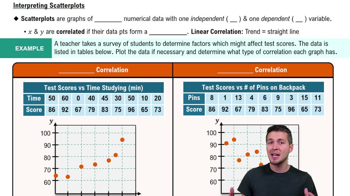
Scatterplots & Intro to Correlation
Mathematical Models (Linear, Quadratic, Logarithmic, Exponential, Power)
Mathematical models describe relationships between variables using specific equations. Linear models show a straight-line relationship, quadratic models form parabolas, logarithmic models involve log functions, exponential models show rapid growth or decay, and power models use variables raised to a power. Choosing the best model depends on how well it fits the data pattern.
Recommended video:
Guided course
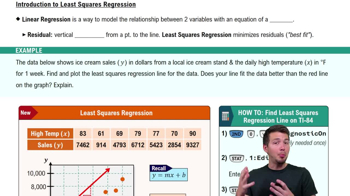
Intro to Least Squares Regression
Prediction and Model Evaluation
Prediction uses the chosen model to estimate unknown values, such as the magnitude for a given earthquake depth. Model evaluation involves comparing predicted values to actual data to assess accuracy. This step ensures the model is reliable within the data scope and helps determine if the prediction for depth 3.78 km is close to the actual magnitude 7.1.
Recommended video:
Guided course
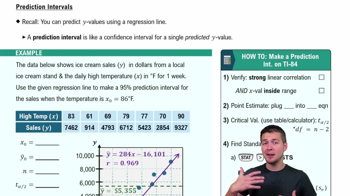
Prediction Intervals
Watch next
Master Quadratic Regression Using TI-84 with a bite sized video explanation from Patrick
Start learningRelated Videos
Related Practice
Multiple Choice
51
views
