Table of contents
- 1. Intro to Stats and Collecting Data1h 14m
- 2. Describing Data with Tables and Graphs1h 56m
- 3. Describing Data Numerically2h 5m
- 4. Probability2h 16m
- 5. Binomial Distribution & Discrete Random Variables3h 6m
- 6. Normal Distribution and Continuous Random Variables2h 11m
- 7. Sampling Distributions & Confidence Intervals: Mean3h 23m
- Sampling Distribution of the Sample Mean and Central Limit Theorem19m
- Distribution of Sample Mean - Excel23m
- Introduction to Confidence Intervals15m
- Confidence Intervals for Population Mean1h 18m
- Determining the Minimum Sample Size Required12m
- Finding Probabilities and T Critical Values - Excel28m
- Confidence Intervals for Population Means - Excel25m
- 8. Sampling Distributions & Confidence Intervals: Proportion2h 10m
- 9. Hypothesis Testing for One Sample5h 8m
- Steps in Hypothesis Testing1h 6m
- Performing Hypothesis Tests: Means1h 4m
- Hypothesis Testing: Means - Excel42m
- Performing Hypothesis Tests: Proportions37m
- Hypothesis Testing: Proportions - Excel27m
- Performing Hypothesis Tests: Variance12m
- Critical Values and Rejection Regions28m
- Link Between Confidence Intervals and Hypothesis Testing12m
- Type I & Type II Errors16m
- 10. Hypothesis Testing for Two Samples5h 37m
- Two Proportions1h 13m
- Two Proportions Hypothesis Test - Excel28m
- Two Means - Unknown, Unequal Variance1h 3m
- Two Means - Unknown Variances Hypothesis Test - Excel12m
- Two Means - Unknown, Equal Variance15m
- Two Means - Unknown, Equal Variances Hypothesis Test - Excel9m
- Two Means - Known Variance12m
- Two Means - Sigma Known Hypothesis Test - Excel21m
- Two Means - Matched Pairs (Dependent Samples)42m
- Matched Pairs Hypothesis Test - Excel12m
- Two Variances and F Distribution29m
- Two Variances - Graphing Calculator16m
- 11. Correlation1h 24m
- 12. Regression3h 33m
- Linear Regression & Least Squares Method26m
- Residuals12m
- Coefficient of Determination12m
- Regression Line Equation and Coefficient of Determination - Excel8m
- Finding Residuals and Creating Residual Plots - Excel11m
- Inferences for Slope31m
- Enabling Data Analysis Toolpak1m
- Regression Readout of the Data Analysis Toolpak - Excel21m
- Prediction Intervals13m
- Prediction Intervals - Excel19m
- Multiple Regression - Excel29m
- Quadratic Regression15m
- Quadratic Regression - Excel10m
- 13. Chi-Square Tests & Goodness of Fit2h 21m
- 14. ANOVA2h 28m
12. Regression
Linear Regression & Least Squares Method
Problem 10.2.17
Textbook Question
Regression and Predictions
Exercises 13–28 use the same data sets as Exercises 13–28 in Section 10-1.
Find the regression equation, letting the first variable be the predictor (x) variable.
Find the indicated predicted value by following the prediction procedure summarized in Figure 10-5.
Taxis Use the distance/fare data from Exercise 15 and find the best predicted fare amount for a distance of 3.10 miles. How does the result compare to the actual fare of \$15.30?
Verified step by step guidance1
Step 1: Identify the predictor (x) and response (y) variables. In this case, the distance is the predictor variable (x), and the fare is the response variable (y).
Step 2: Use the given data set from Exercise 15 to calculate the regression equation. The regression equation is typically in the form y = b0 + b1x, where b0 is the y-intercept and b1 is the slope. Use the formulas for b1 = (Σ(xi - x̄)(yi - ȳ)) / Σ(xi - x̄)^2 and b0 = ȳ - b1x̄ to compute the slope and intercept.
Step 3: Substitute the given distance of 3.10 miles into the regression equation to calculate the predicted fare. This involves replacing x in the equation y = b0 + b1x with 3.10.
Step 4: Compare the predicted fare obtained from the regression equation to the actual fare of \$15.30. Calculate the difference between the predicted and actual values to assess the accuracy of the prediction.
Step 5: Interpret the results. If the predicted fare is close to the actual fare, the regression model is performing well for this data point. If there is a significant difference, consider potential reasons such as outliers, variability in the data, or limitations of the linear model.
Verified video answer for a similar problem:This video solution was recommended by our tutors as helpful for the problem above
Video duration:
7mPlay a video:
0 Comments
Key Concepts
Here are the essential concepts you must grasp in order to answer the question correctly.
Regression Analysis
Regression analysis is a statistical method used to model the relationship between a dependent variable and one or more independent variables. In this context, the regression equation helps predict the fare amount based on the distance traveled. The equation typically takes the form of a linear equation, allowing for the estimation of outcomes based on input values.
Predictor and Response Variables
In regression analysis, the predictor variable (independent variable) is the one used to predict the value of another variable, known as the response variable (dependent variable). In this case, the distance traveled (3.10 miles) serves as the predictor variable, while the fare amount is the response variable that we aim to estimate using the regression equation.
Recommended video:
Guided course
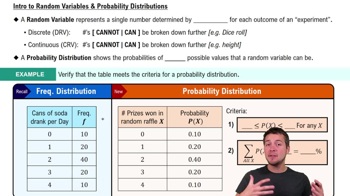
Intro to Random Variables & Probability Distributions
Prediction Procedure
The prediction procedure involves using the regression equation to calculate the expected value of the response variable for a given value of the predictor variable. This process includes substituting the predictor value into the regression equation to obtain the predicted fare, which can then be compared to the actual fare to assess the accuracy of the model.
Recommended video:
Guided course
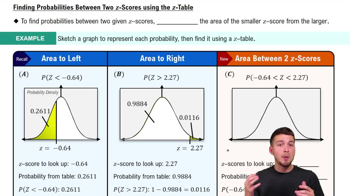
Probabilities Between Two Values
Watch next
Master Intro to Least Squares Regression with a bite sized video explanation from Patrick
Start learningRelated Videos
Related Practice
Multiple Choice
In linear regression using the least squares method, what does SSR represent?
8
views
